Periphery — a menu-bar utility for macOS
See every screen,
without turning around.
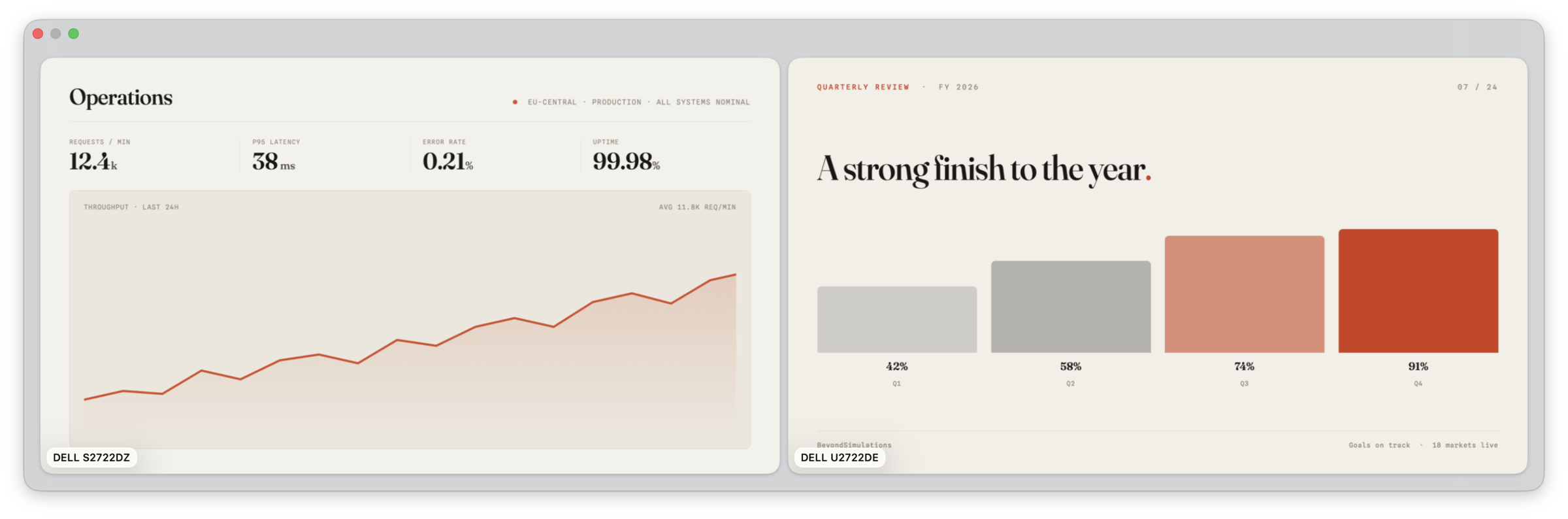
Periphery keeps a live preview of every external display in one floating panel, right on the screen in front of you. Plug into a projector or a conference-room TV and it appears on its own. Now you watch your slides, notes and demo from where you sit, instead of turning around to check the screen behind you.
- Platform
- macOS 26 or later
- Lives in
- The menu bar
- Built on
- ScreenCaptureKit
- Network
- None — ever
02 / Features
Built for the people
running the room.
Built for presenters
The whole point is to stop guessing what is on the screen behind you.
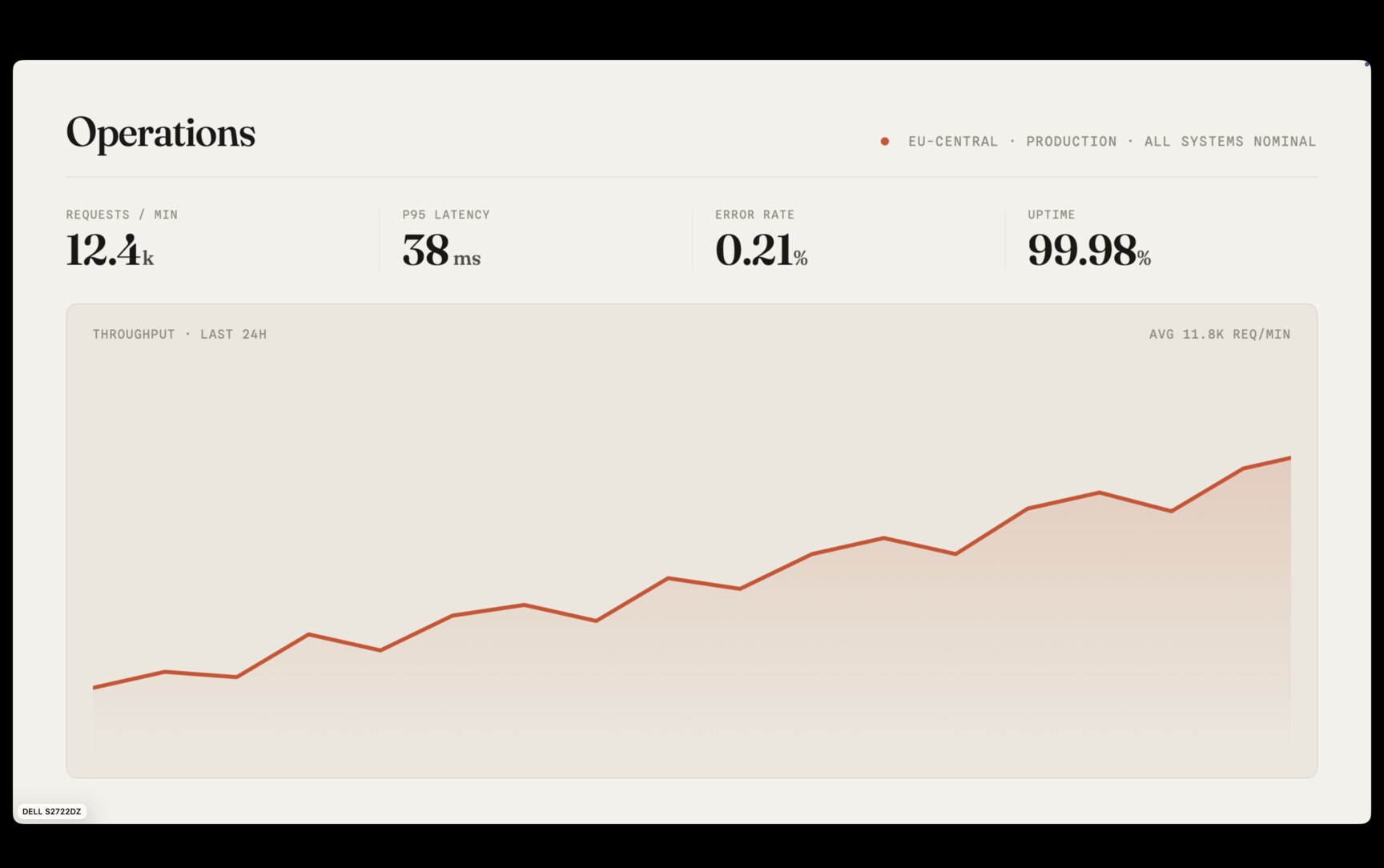
- Live previews of every connected display, updating as they change, not a static arrangement diagram
- Glance at your slides, speaker notes and demo screens from where you are sitting
- The panel appears the moment a display connects and slips away once the last one is unplugged
Fast and flexible
Set it up once to match how you work, then forget it is there.
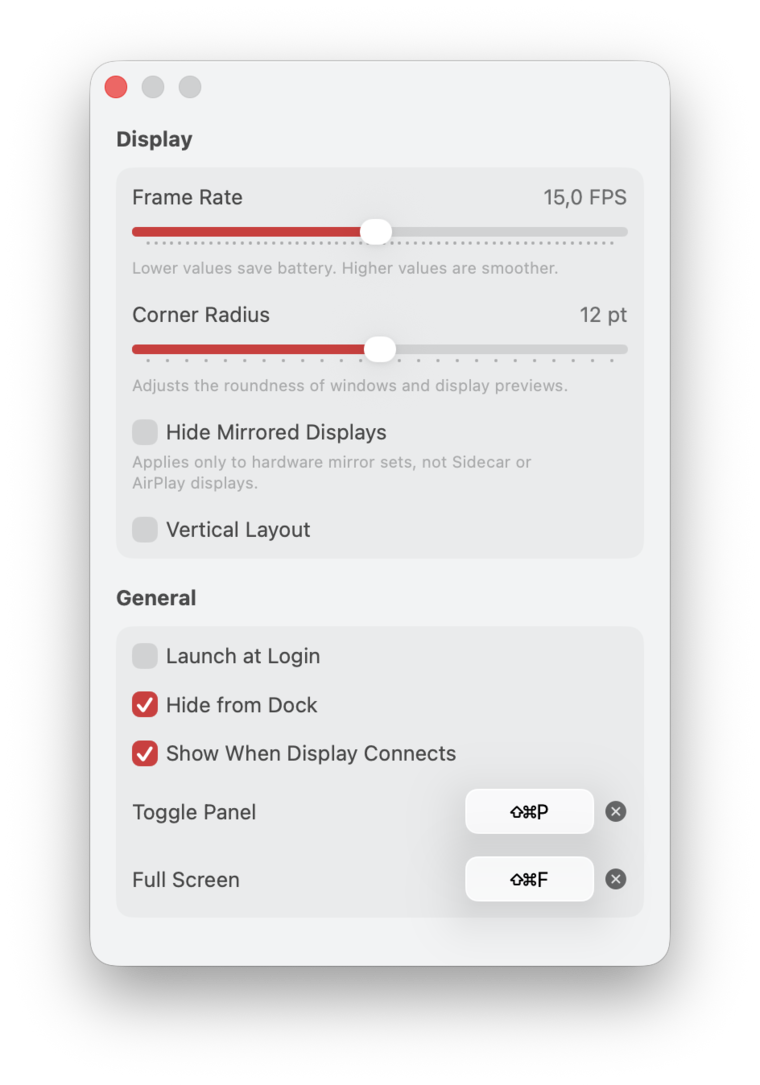
- A global shortcut shows and hides the panel (⇧⌘P by default, and remappable to whatever you like)
- Lay the previews out side by side or stacked, and round the corners to taste
- Send one display to full screen (⇧⌘F by default) and step through the rest with the arrow keys
- Set the frame rate anywhere from 0.5 to 30 FPS, smooth when you want it, easy on the battery when you don't
Made for your Mac
It behaves like a Mac app, because it is one.
- Liquid Glass
- Built with the system's own Liquid Glass materials, so the panel looks like part of macOS instead of something stuck on top. It picks up light and dark mode on its own, and the previews sit behind real glass, not a flat grey box.
- Out of the way
- It lives in the menu bar and stays there. No window in your Dock, no icon begging for attention, and if you'd rather have a Dock icon anyway, there's a switch for it. It just starts off hidden, the way most people leave it.
- Always ready
- Set it to launch at login and you can forget it's running. Plug into a projector or a second screen and the preview is already up before you've reached for a shortcut, so you're not fumbling in front of a room.
- Light on battery
- Hide the panel and capture stops on the spot, so it isn't quietly reading your screens when no one's looking. Want the occasional glance rather than a live feed? Drop the frame rate and you'll hardly notice it on battery.
04 / Privacy
Nothing leaves
your Mac.
What's on your displays is often the most sensitive thing on your Mac: unreleased work, customer data, whatever is up on a call. So none of it is ever sent anywhere. Periphery is built on Apple's ScreenCaptureKit and runs fully sandboxed. It reads the screen only after you grant Screen Recording permission, every preview is rendered right on your machine, and capture stops the moment you hide the panel.
- Account
- None
- Analytics
- None
- Network access
- None
- When hidden
- Capture stops
Ready when your
next display is.
Coming soon to the Mac App Store Requires macOS 26 or later · one external display