Periphery — a menu-bar utility for macOS
See every screen,
without turning around.
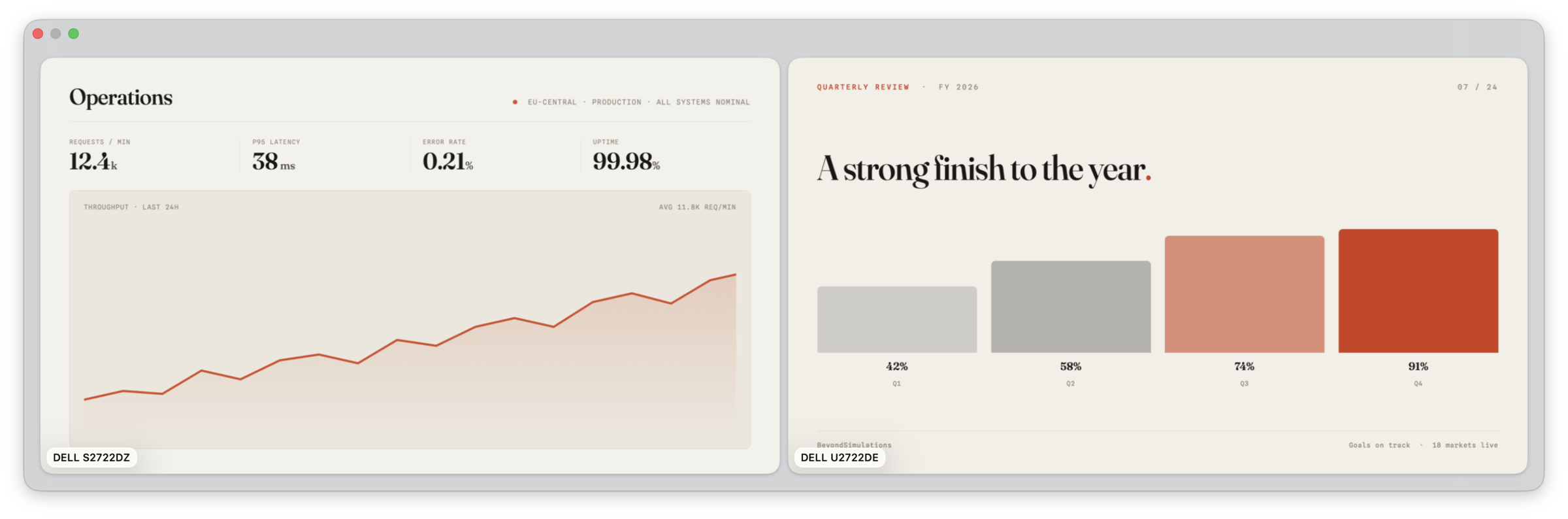
Periphery puts every external display in a floating panel on the Mac in front of you. Connect a projector or conference-room TV and its preview appears automatically. Check your slides, speaker notes, or live demo without looking over your shoulder.
7 days free · One-time purchase · Family Sharing included
- Platform
- macOS 26 or later
- Lives in
- The menu bar
- Built on
- ScreenCaptureKit
- Network
- StoreKit only
02 / Features
Watch the screen
behind you.
Know what the room sees
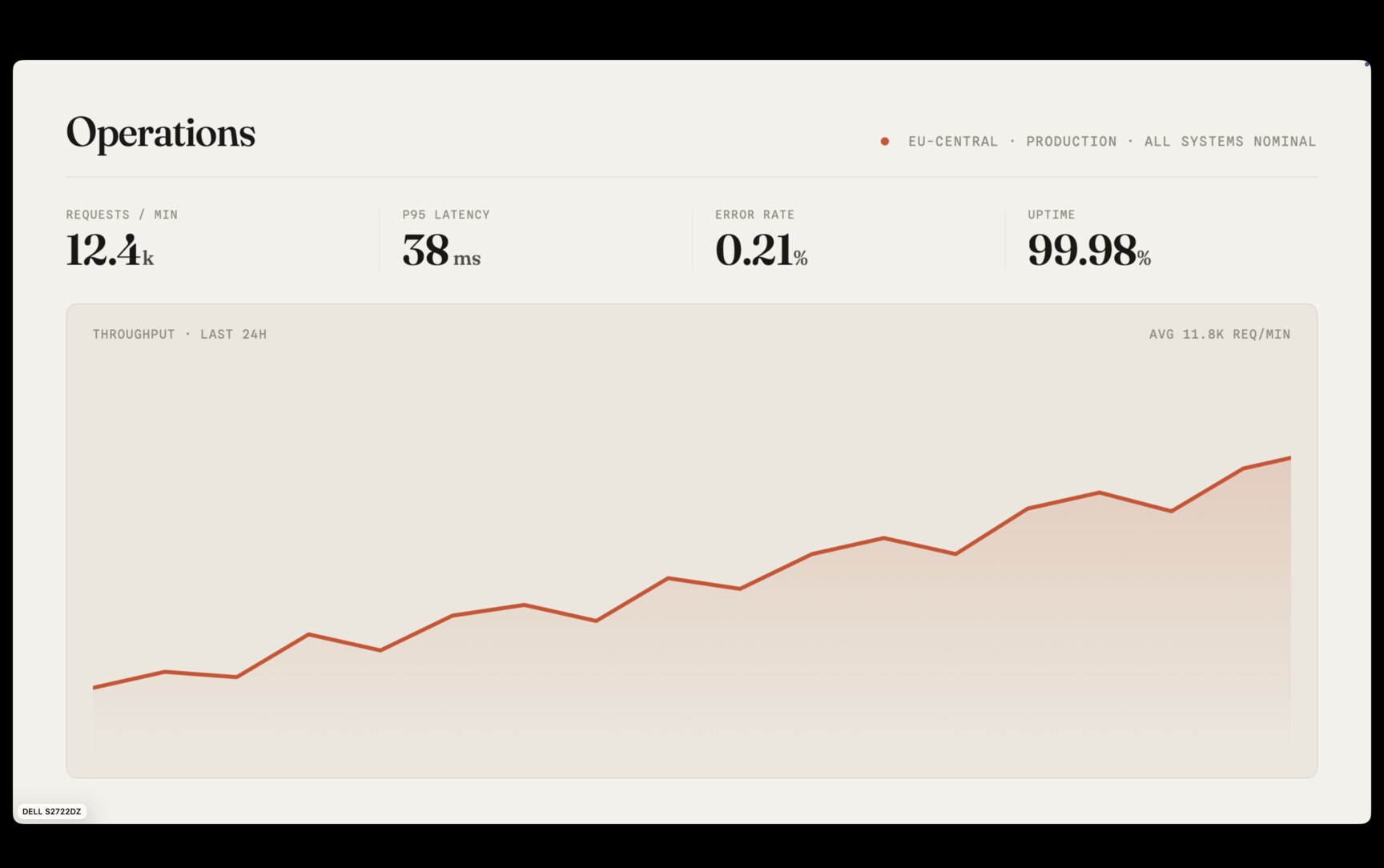
A live preview tells you more than a display diagram.
- See every external display at once, with previews that update as the screens change
- Check slides, speaker notes, and demos without leaving your seat
- Connect a display and its preview appears; disconnect the last one and the panel closes
Set up the panel your way
Choose the layout and controls once. Periphery remembers them.
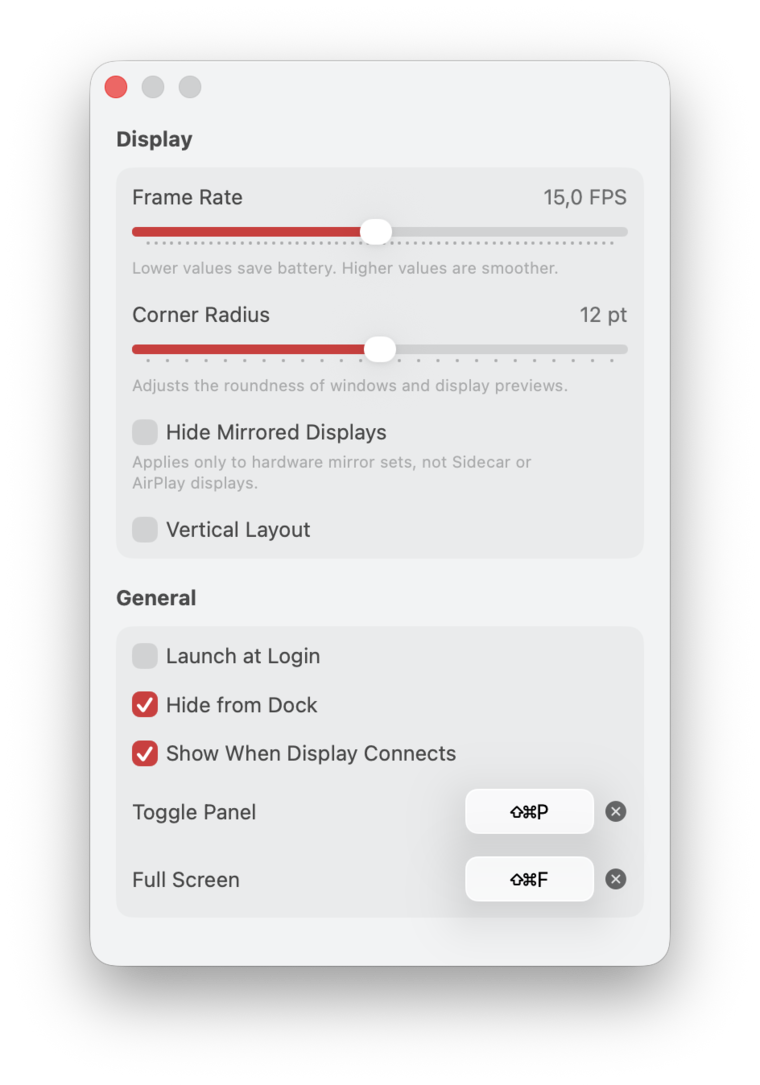
- Show or hide the panel with a global shortcut; the default is ⇧⌘P, and you can change it
- Arrange previews horizontally or vertically and choose their corner radius
- Open one display full screen with ⇧⌘F, then move between displays with the arrow keys
- Choose any frame rate from 0.5 to 60 FPS; lower rates use less battery
A small, native Mac app
Familiar controls, no account, and nothing extra in the way.
- Native materials
- The panel uses macOS Liquid Glass and follows the system appearance. Light and dark mode work automatically.
- Menu bar first
- Periphery hides its Dock icon by default and stays in the menu bar. You can show the Dock icon again in Settings.
- Ready at login
- Launch Periphery at login and have the panel open when an external display connects. No setup in front of the room.
- Stops when hidden
- Periphery captures only while the panel or full-screen view is open. Hide it and capture stops. Use a lower frame rate when you only need occasional updates.
04 / Privacy
Your screens stay
on your Mac.
Periphery processes every preview on your Mac. It does not upload, record, or save display content. macOS asks for Screen Recording permission before capture begins, and capture stops when you hide the panel. The app is sandboxed, requires no account, and includes no analytics.
- Account
- None
- Analytics
- None
- App services
- StoreKit only
- When hidden
- Capture stops
Keep the other screen
in view.
Download Periphery from the App Store 7 days free · One-time purchase · Family Sharing included
Requires macOS 26 or later · one external display